Build in your AI tool, run it in Mindset 4.0
· 5 min read · Product Updates
With Mindset 4.0 you build agents through the Mindset MCP, from Claude Code, Cursor or ChatGPT. The web app is where you see what was built and approve it.
From today, you no longer build agents in the Mindset web app.
From now on, you will build agents and all their capabilities, speaking only through the Mindset MCP, from the AI tool your team already uses, such as Claude Code, Cursor, or ChatGPT. The web app is where you see what was built, check it, and approve what goes live.
It works the way Git does. You write code in your IDE, raise a PR, and someone reviews and merges it. With Mindset 4.0, your AI tool of choice is the editor, and the web app is where a person reviews a change, visualizes what's built, and promotes it between environments or manages security.
It lets your team build with the coding agents you use every day and not learn a separate interface, replicating how you already build software internally.
Other products these teams use already get a growing share of their usage through MCP:
- Notion says AI usage inside its app is up 9x in 2026, and its MCP volume is up roughly 60x.
- Atlassian says it handles more than 15 million MCP calls a day.
- Linear says 48% of its weekly active users now work through MCP.
- Figma says its MCP server has about 1 million weekly active users and was its fastest-growing product in Q3 2026.
You may be wondering, but why is it MCP-only?
Well, for Mindset, our customers are all product & engineering teams building user-facing agents and so need:
- Control: It's critical that AI agents don't do what they love to do - cause chaos, promote versions that impact what others have built, and make builders or operators feel uneasy about using the system.
- Understanding: We have made the UI simpler, so when your agent creates powerful experiences, you can easily visualize what's built, understand it, interrogate it, and share it with others on your teams.
- Trust: Promoting agents across environments is done by a human, and so is approving new versions of agents, functions, scripts, widgets, and connections. So you can trust what has been built and that you are happy with it.
- No bottlenecks: The combination of this new MCP-first approach, plus versions and environments, lets more team members in your R&D team safely and easily build, fix, or optimize agents. Whether a solutions engineer is offering bespoke services, your PM is prototyping new agents and designing conversations, or developers across pods are helping fix, integrate, or improve agents.
- Context & velocity: You can focus on building agents via your MCP alongside your repo, so going from idea to production is even quicker.
- Speed: We can continue to rapidly add more and more powerful capabilities for you to develop even more advanced AI features or agents, without your team needing to always learn new UI configuration.
What's changed
You build through the MCP
Connect the Mindset MCP (mindset-admin) to your AI tool once. It knows how agents, scripts, functions, connections, and widgets fit together, asks what it needs, and tells you which environment each change went into. The Mindset MCP and docs site work perfectly together, so your agent is an expert on every feature.
Using the mindset-admin MCP server, create a connection to
Greenhouse in our organization's Sandbox environment.
Agents need it to find candidates and book interviews.
Watch Set up with your agent (2 min) to see it done end to end.
Your AI tool builds and improves every part of an agent
Describe what you need, and your AI tool builds it or fixes it:
- Functions run if-this-then-that automations as code, so the same input always gives the same result.
- Scripts get an agent to follow a process so you can design conversations, what tools an agent can access during each part of a conversation, what it shows to users (UI), and even branching of conversations if you need.
- Connections reach any API or MCP server.
- Widgets render in the conversation.
- Human-in-the-loop lets an agent wait for a review and approval before continuing.
- Your AI tool reads the logs and conversations alongside your repo, then finds and fixes problems in a sandbox.
The web app is for viewing and approving
The screens below roll out over the next two to three weeks. Until then, you cannot build in the current web app, and each screen offers a prompt to copy into your AI tool instead.
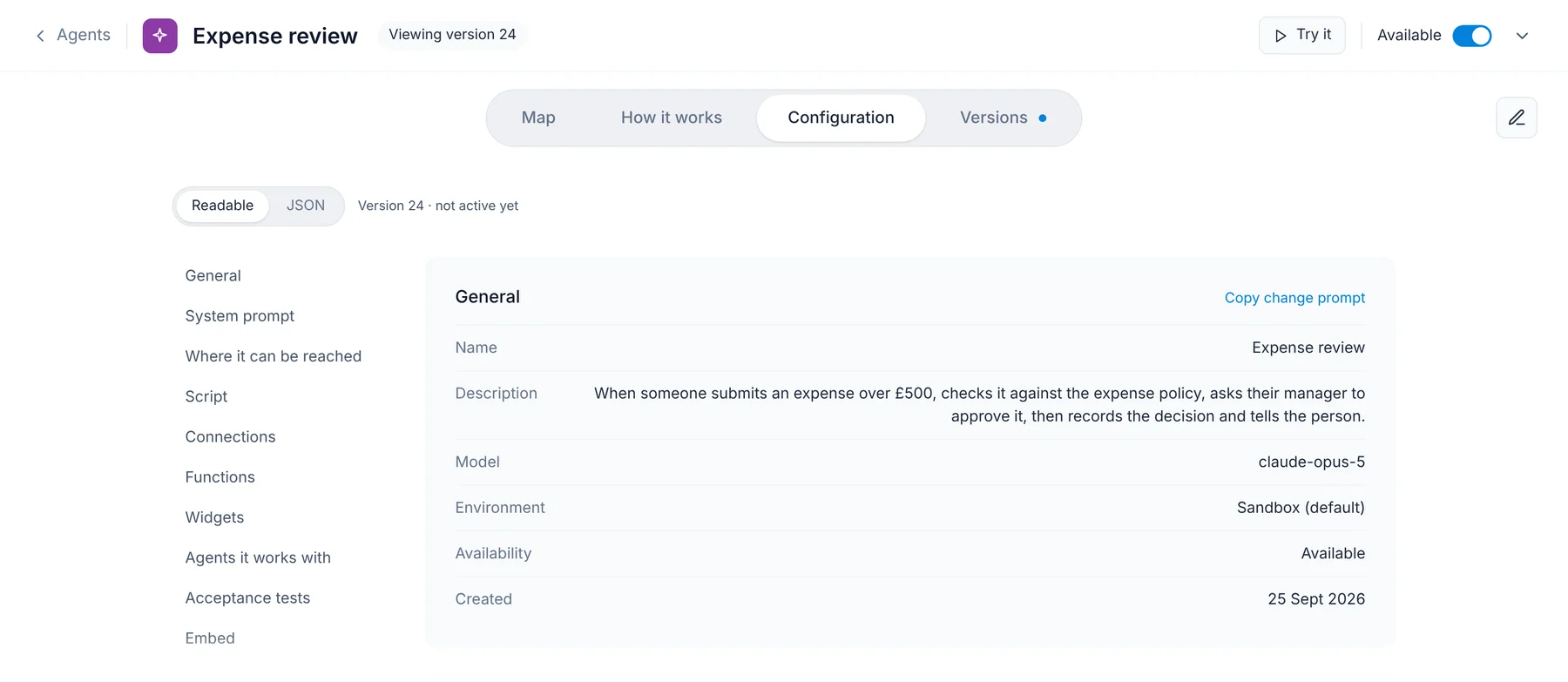
The examples show a sample agent, Expense review, which checks expenses over £500 against policy and asks a manager to approve them. The agent map shows what starts an agent, what it uses, and how it connects.
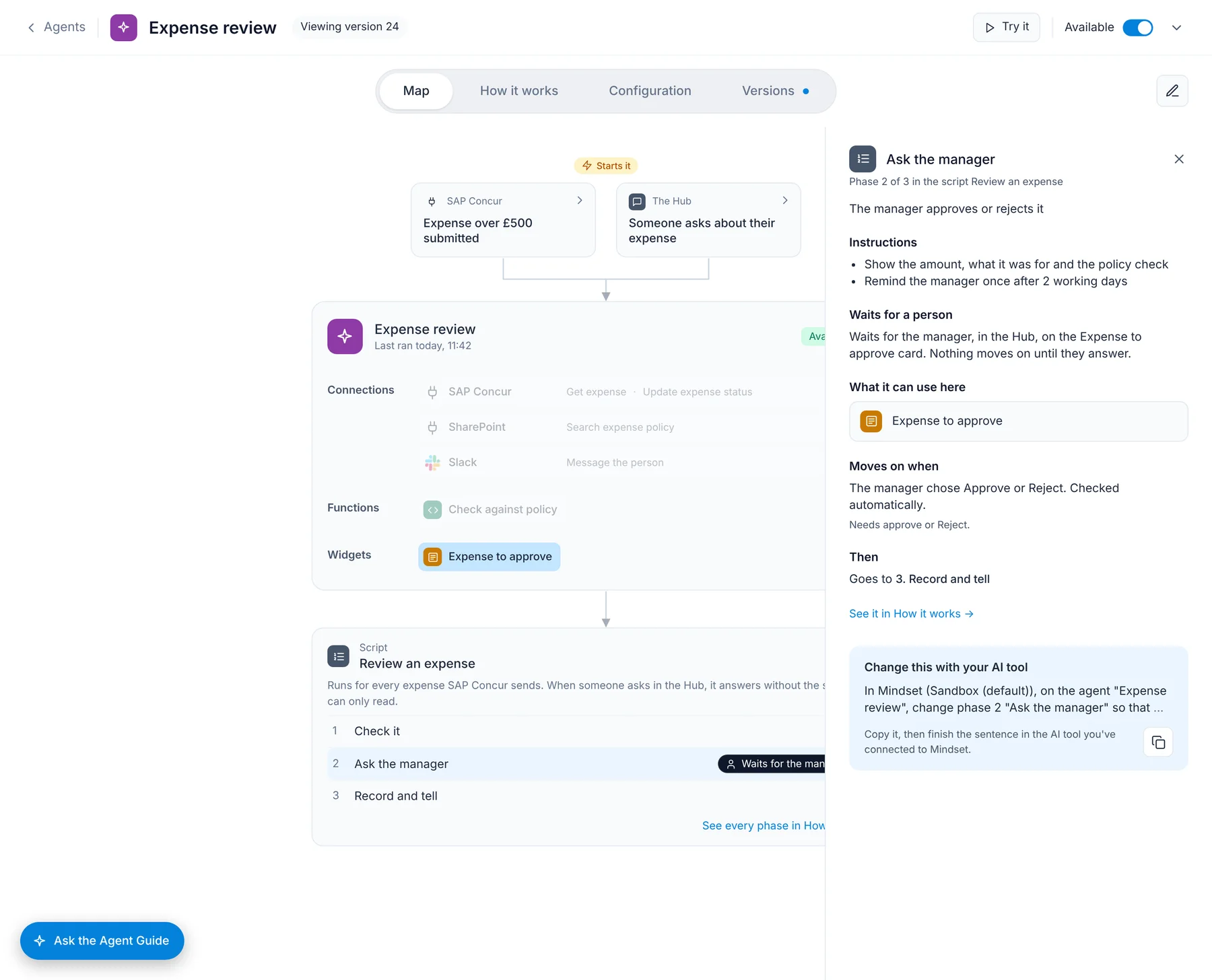
You can change anything through your AI coding agent.
Ask the Agent Guide, the agent built into the web app, to write the right prompt for whatever you want to fix, or use the edit button to copy a prompt for the specific part you want to discuss or change.
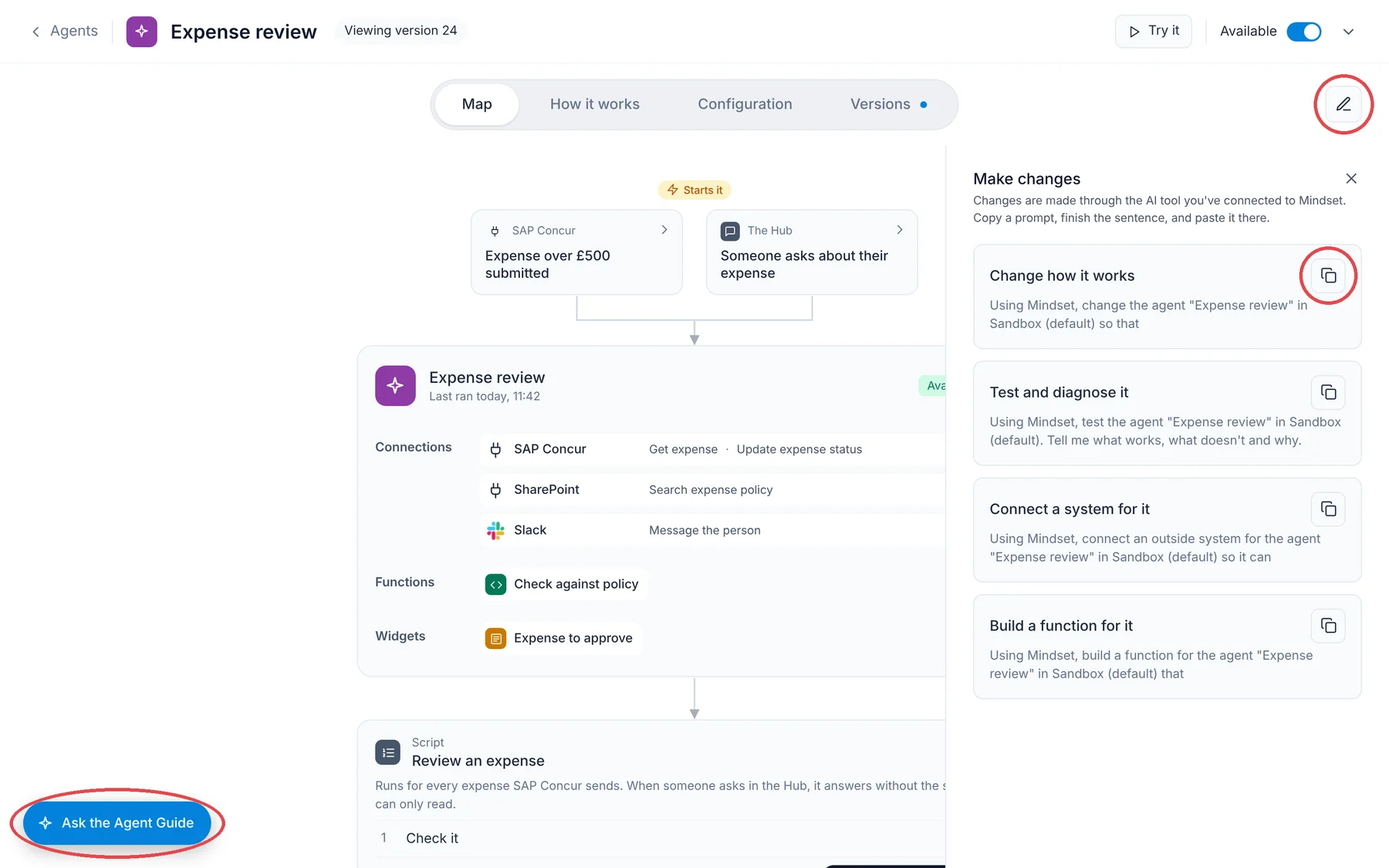
The How it works tab sets out the same agent as a document anyone can review easily.
The Configuration tab lists every setting, readable or as raw JSON.
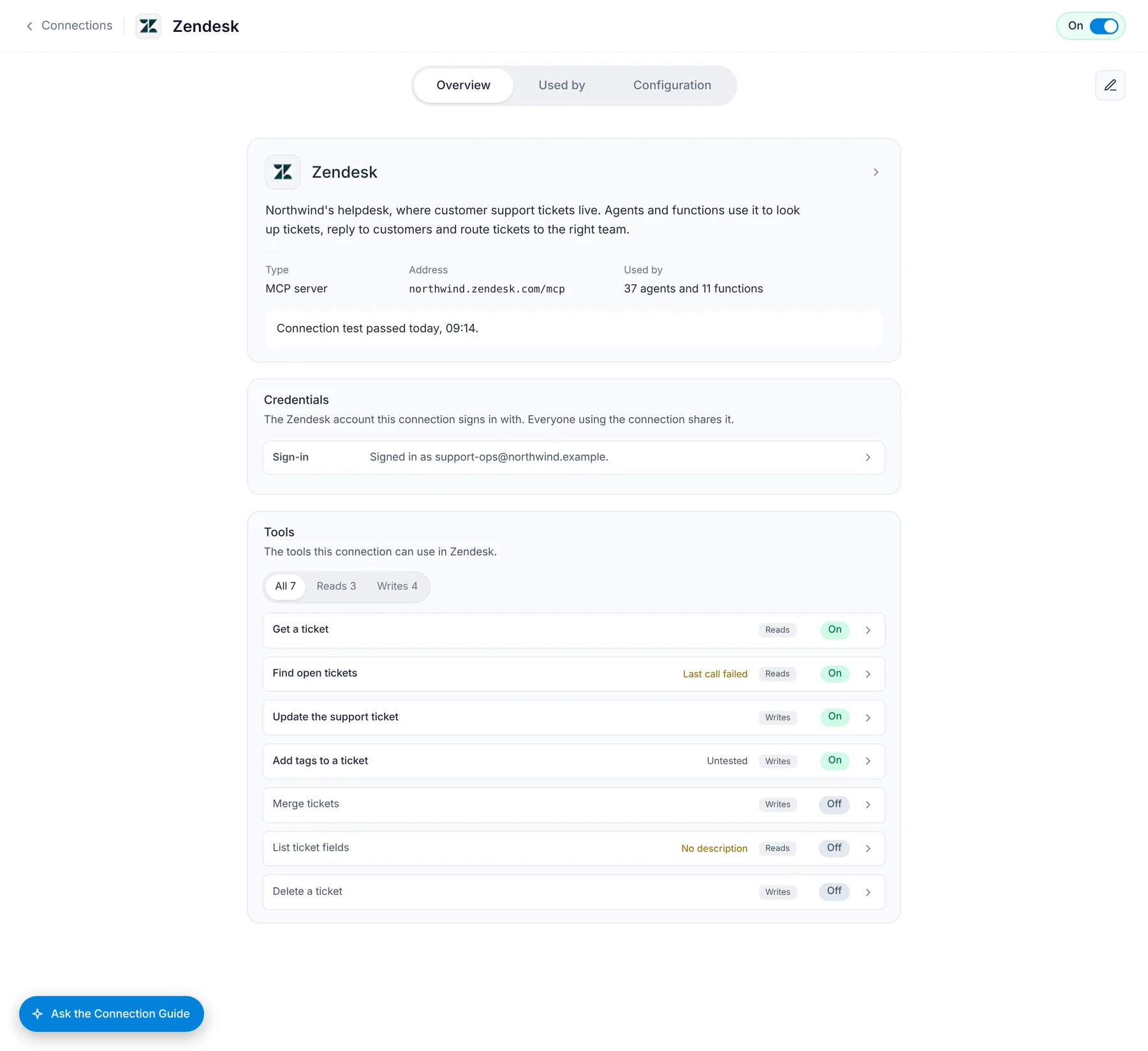
Each connection shows its sign-in (for an org-wide connector or for individual users to access their own accounts), whether Mindset can reach it, and which operations are switched on.
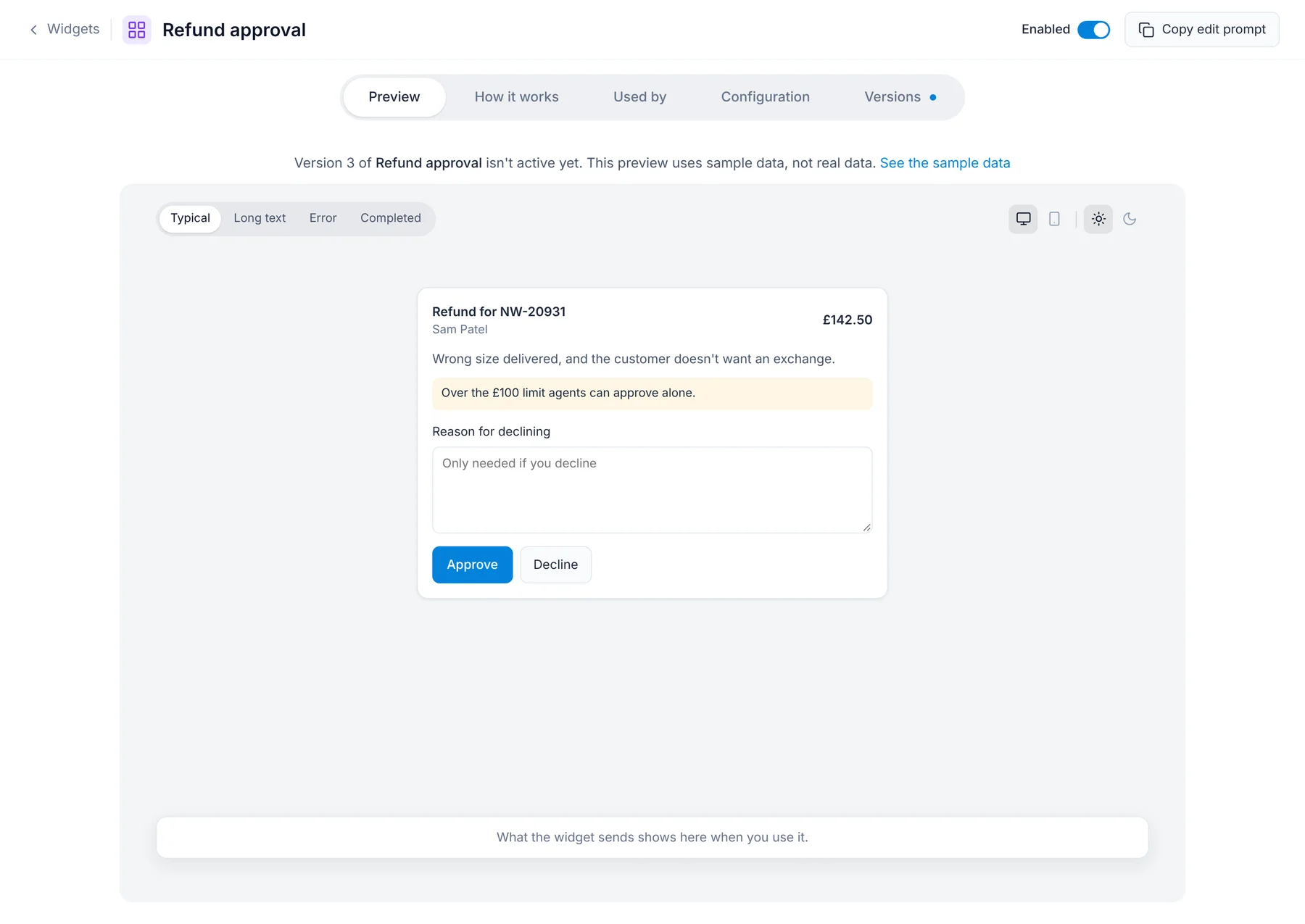
Widgets are previewed with sample data in every state before anyone makes a version active.
Every change goes through your process
You create environments to match the way you ship, such as sandbox, staging, and production. Every team can then build safely in a sandbox until you are happy a change is ready for production.
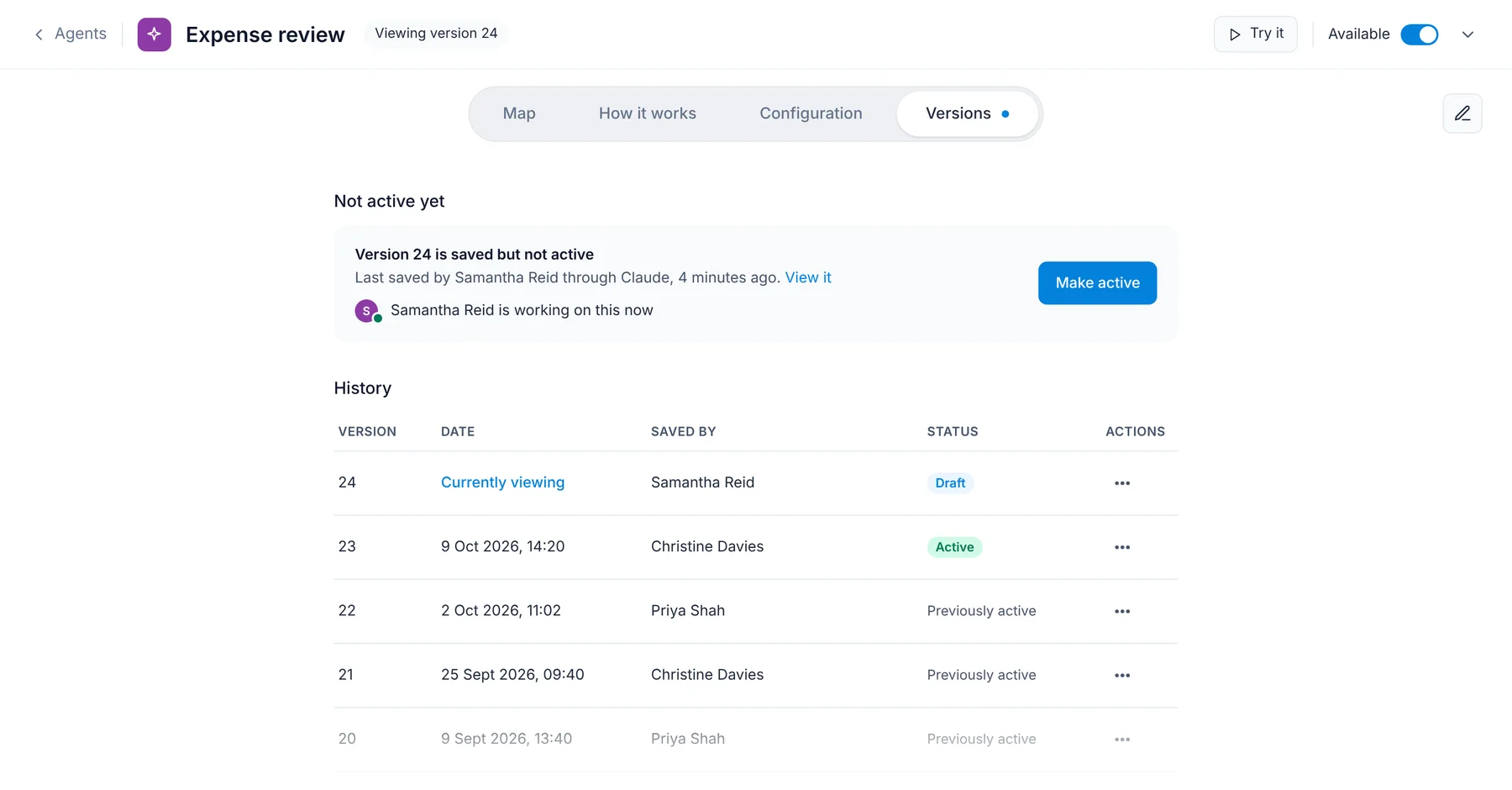
Approval will soon work like a PR. When your AI tool saves a change, it gives you a link; someone opens it, reviews the change, and activates it. Mindset keeps every version, and each save returns versioned JSON you can commit and review in your repo.
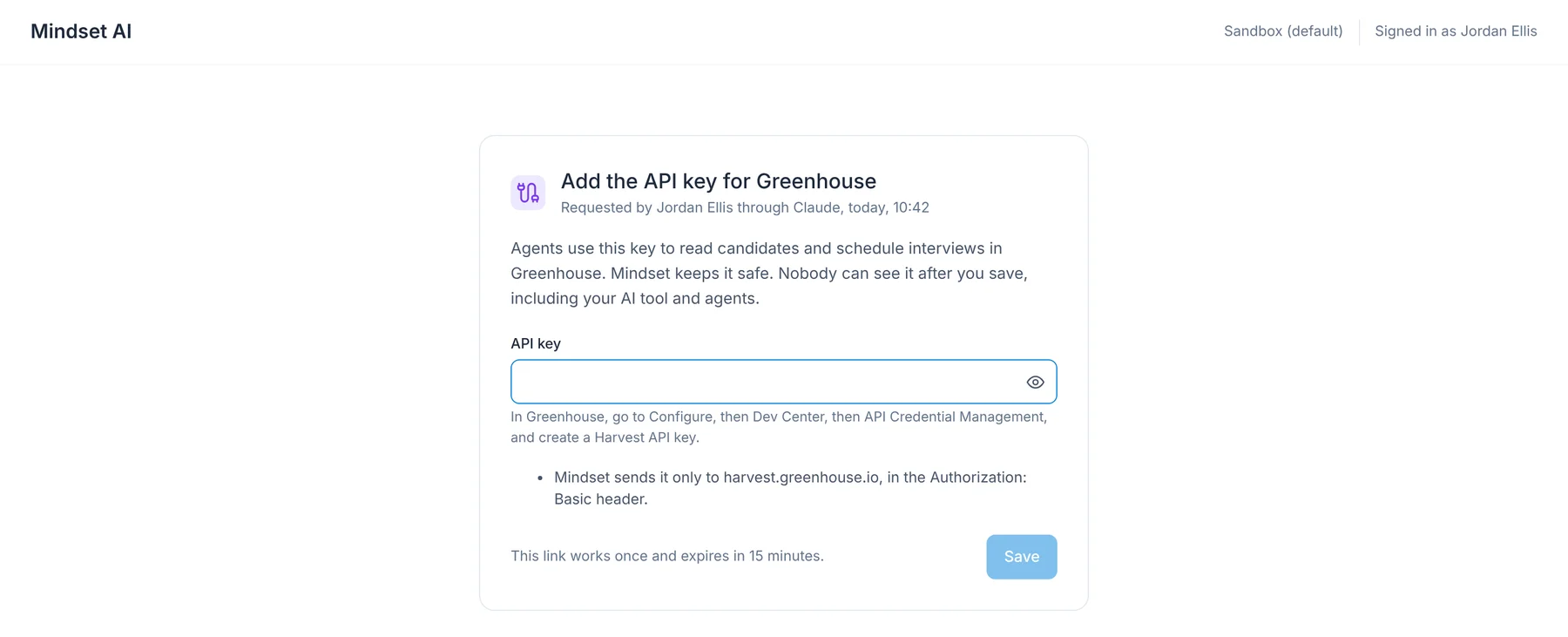
When a connection needs a key, your AI tool gives you a secure link to enter it, so the key never passes through your AI tool or your agents.
Get started
You need an AI tool that can connect to an MCP server, such as Claude, ChatGPT, Cursor, or Claude Code. Nothing you have already built changes, and your users reach your agents exactly as they do today.
- In Mindset, go to Settings, then Systems, and add the
mindset-adminMCP server to your AI tool. Or watch this video to find out more. - Ask your AI tool to explain one of your existing agents.
- Make a small change in a sandbox, open the link it gives you, and make the new version active.