Docs / Sharing
Use your agents from Claude
For calling your organisation's agents from your own Claude or Claude Code, without opening Mindset.
What this is
Mindset can be added to Claude as a server, so the agents published to you appear there as tools you can call. You ask Claude to run the invoice exceptions agent on INV-4471, Claude calls it, and the answer comes back into the conversation you are already in.
This uses MCP, a standard way for a tool like Claude to list what another system can do and then call it. You do not need to understand it beyond that. Claude and Claude Code both have a settings screen where you paste in a server address, and that is the whole of the setup. So do most LLM applications.
You do not need to be an admin. If an agent has been published to you, you can reach it this way.
Two surfaces
| Surface | What it gives you | Who it is for |
|---|---|---|
| The agent surface | The agents that have been published to you, each callable as a tool | Anyone with agents published to them |
| The admin surface | Authoring: creating and changing agents, functions and connections from Claude Code | Admins who build |
How to do it
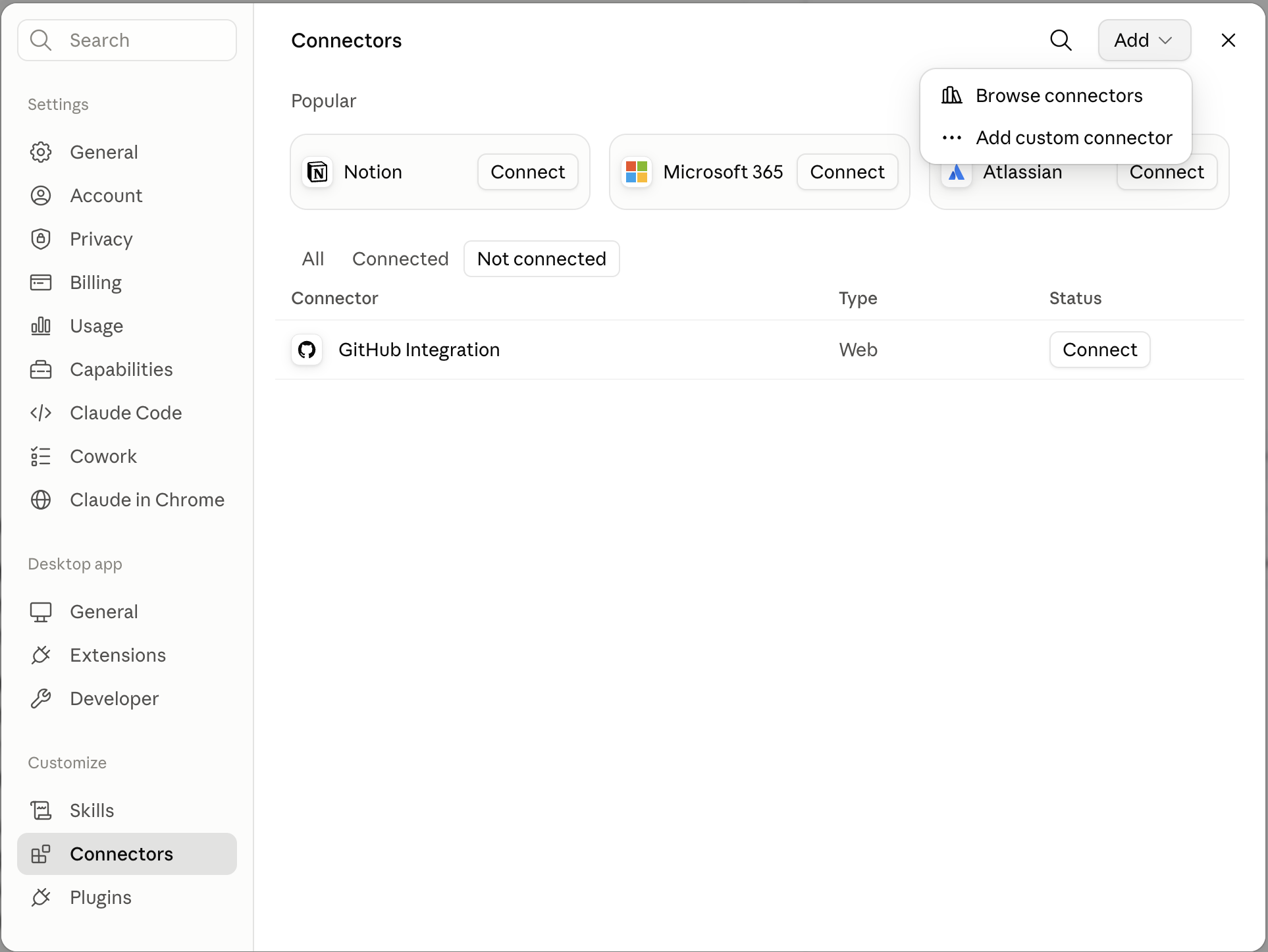
- In Mindset, open Settings and find the MCP section. It gives you the server address and a key that identifies you. If you cannot find it, an admin can give you both.
- In Claude or GPT, open Settings and add the server (or use the Desktop Commander tool). Paste the address and the key. In Claude Code, enter the same details in your MCP server configuration. If you use Desktop Commander, just say "use Desktop Commander to set this up"
- Ask Claude what it can call. Something like "list the Mindset agents available to me". You will get the agents published to you, by name, with what each one is for.
- Call one. "Use the invoice exceptions agent on INV-4471." Claude sends the request, the agent runs in Mindset, and the result comes back into your conversation.
What you should see
- The agents published to you, and nothing else. The list is your entitlements, not the org's inventory.
- A normal answer in your Claude/GPT etc conversation.
- For the admin MCP; a run in Observability, exactly like any other. Same record: what started it (a call from Claude), the stages it worked through, what it called, what came back, and how it ended. Nothing about this route is off to one side.
- Any change still waiting for a person. If the invoice agent gets to stage four, it records what it would send and the run finishes. The supplier query sits on an approval link. Calling an agent from Claude does not approve anything, and an agent can never approve its own write.
Things to be aware of
- A call cannot be cancelled once it has started. If your side times out or you close the tab, the agent carries on and finishes in Mindset. A timeout in your LLM tool is not the agent failing. Open Observability and read the run before you call it again, because re-running starts from the beginning and repeats anything not safe to repeat.
- The run takes about a minute, because somebody is waiting for the answer. A long multi-stage job is better started by a schedule, which gets about five minutes. See Limits and run behaviour.
- You get the same bundle as anybody else with that agent. The route does not change what the agent can reach. See Publish and share an agent.
- The list is scoped to one environment. If an agent you expect is missing, check which environment your connection details are for.
- Your key is yours. Runs are recorded against you, so what you call from Claude appears under your name in Observability and in the Costs workspace.
When it does not work
- The server connects and the agent list is empty. Nothing has been published to you. That is a publish on the Mindset side, not a setup problem here. Ask whoever owns the agent.
- The call returns an authorisation error. Either the key is for a different environment, or the agent has been unpublished from you since you set this up.
- Your tool reports a timeout. The agent has not failed. Find the run in Observability and see how far it got.
- The agent answers and nothing changed in the finance system. Working as intended. The write is waiting for approval. See Making it run, and approving what it does.
You're done when
- You can list the agents published to you from inside Claude.
- You have called one and found its run in Observability.
- You know that a timeout on your side is not a failed run.