Docs / Your first automation
Write a script
The stages your agent works through. This is the article that makes the difference between an agent you can trust and one you cannot.
What a script is
A script breaks the work into stages, in order, and says what each stage has to have achieved before the agent moves to the next one.
Each stage says four things:
- What to tell the agent while it is on this stage
- What it is allowed to use here: which functions, which operations, which other agents
- What it has to collect before it can move on
- The condition for moving on
The agent works out how to satisfy each stage on its own. What it cannot do is decide it has finished. Mindset checks the condition and moves it on, or tells it what is still missing.
Why you would use one
Without a script, an agent gets your instructions and does its best in one go. That works for a question-and-answer agent. It does not work for a job with steps, because there is nothing stopping it skipping to the end, and nothing telling you which part went wrong when the answer is poor.
With a script you get three things:
It cannot skip. The invoice agent cannot write a supplier query before it has fetched the purchase order, because the stage before will not let it through.
It cannot reach for the wrong tool at the wrong time. The stage where it is gathering information does not have the operation that posts to the supplier, so it cannot post early even if it decides that would be helpful.
You can see where it went wrong. An agent that keeps getting stuck at stage two is telling you something specific about stage two.
What a script is not
Not the system prompt. The prompt tells the agent what it is and how to behave, all the time. The script says what this stage has to achieve. Both exist; they do different jobs.
Not a workflow. In a workflow tool you draw the steps: do this, then this, then if X do that. Here nobody writes the steps. You write the outcomes and the agent finds its own way.
Not a function. A function is one fixed thing the agent calls inside a stage. A script governs the whole conversation.
The invoice exceptions script
| Stage | It must have | It can use | How that gets checked |
|---|---|---|---|
| 1. Gather | The invoice, and the purchase order it should match | The finance system read operations | A check: Both have been retrieved |
| 2. Compare | The specific differences between them, line by line | The invoice-comparison function | A check: A comparison result exists and names at least one difference, or confirms there are none |
| 3. Assess | Whether the contract allows the difference, and which clause says so | The supplier contracts knowledge base | A judgement: The answer names a specific clause rather than referring to the contract in general |
| 4. Prepare | A supplier query, written and ready | The finance system write operation | A check: The query has been registered for approval |
Four stages, and nobody wrote a single step. Notice three things:
- Stage one cannot post anything. The write operation is only available at stage four.
- Stage two uses a function, because comparing an invoice to a PO is arithmetic and you do not want a model doing it differently each time.
- Stage three is the only one judged by a model, because "does this cite a specific clause" is something you have to read to assess.
The two ways a stage gets checked
A check. A straight test of what was collected. Did we get both documents? Does the comparison result exist? Fast, free, and it cannot be talked round.
A judgement. Another model reads the work and decides. Use this only where the condition is about quality, which means something you would have to read to assess yourself.
Judgements are strict by design. Only a clear yes passes; anything unclear does not. Every judgement is recorded with its reasoning, whether it passed or failed, so you can go back and see why.
Prefer a check wherever the answer is yes or no. It is faster, it costs nothing, and it is not a matter of opinion.
Stages only go forwards
Every route points to a later stage. You cannot route back to an earlier one, and Mindset will refuse to save a script that tries.
So how do you handle a branch? By skipping forward. A stage can have several routes, checked in order, and any of them can jump ahead. If the comparison finds no discrepancy at all, stage two can route straight to a stage that closes the invoice, skipping the contract check and the supplier query entirely.
What it cannot do is send the agent back to stage one to start again. If a stage needs several attempts, that is a retry within the stage, not a route.
How to write one
- Speak to Orca: Ask Orca for help building you a script.
- Write down the stages as outcomes. Not "search the contracts" but "we know whether the contract allows this difference, and which clause says so".
- Open the agent and go to the Script tab. Orca will usually have proposed a script already when it built the agent, so you are more often confirming and adjusting one than starting from nothing.
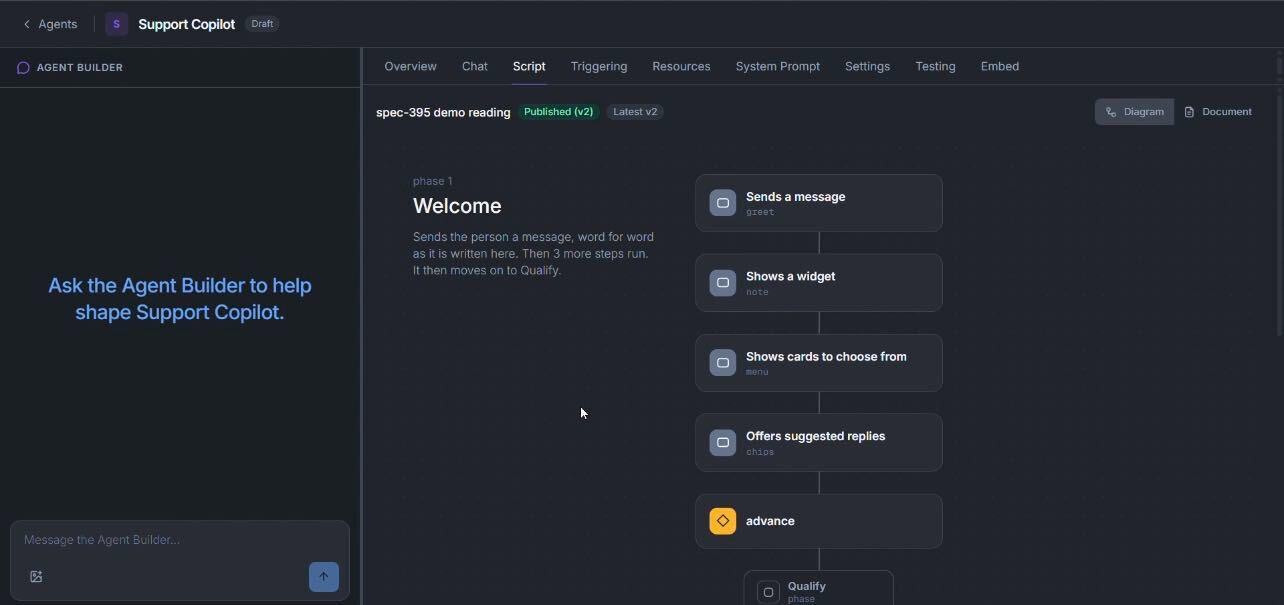
- For each stage, list what it can use. Give it the smallest set that stage needs.
- Choose how each one is checked. A check where the answer is yes or no. A judgement only where you would have to read it.
- Publish the script, then run it from the Chat tab and watch which stage it sticks on.
Changes here go live immediately. See What saving actually does.
You're done when
- Every stage's condition describes something you could check yourself.
- Every stage can only use what that stage needs.
- You can say, for each condition, why it is a check rather than a judgement.
- You have watched a run and seen which stage it advanced on.