Docs / Your first automation
What saving actually does
Read this before you change anything. Saving does not always mean live, and the difference catches people out.
Three kinds of save
| Where you are | What happens when you save | Live? |
|---|---|---|
| An agent's system prompt, settings or script. Most of Settings. Enabling and exposing connection operations | The change is applied straight away | Yes, immediately |
| An agent's Resources tab | The change is saved, but onto a draft. Your agent carries on using what it was using | No, until you publish and activate |
| Functions, scripts and widgets | Your work becomes a new numbered version | No, until you publish it |
Adding a resource to an agent
Say you have built the invoice-comparison function and want your invoice agent to use it.
- Open the agent, go to Resources, add the function.
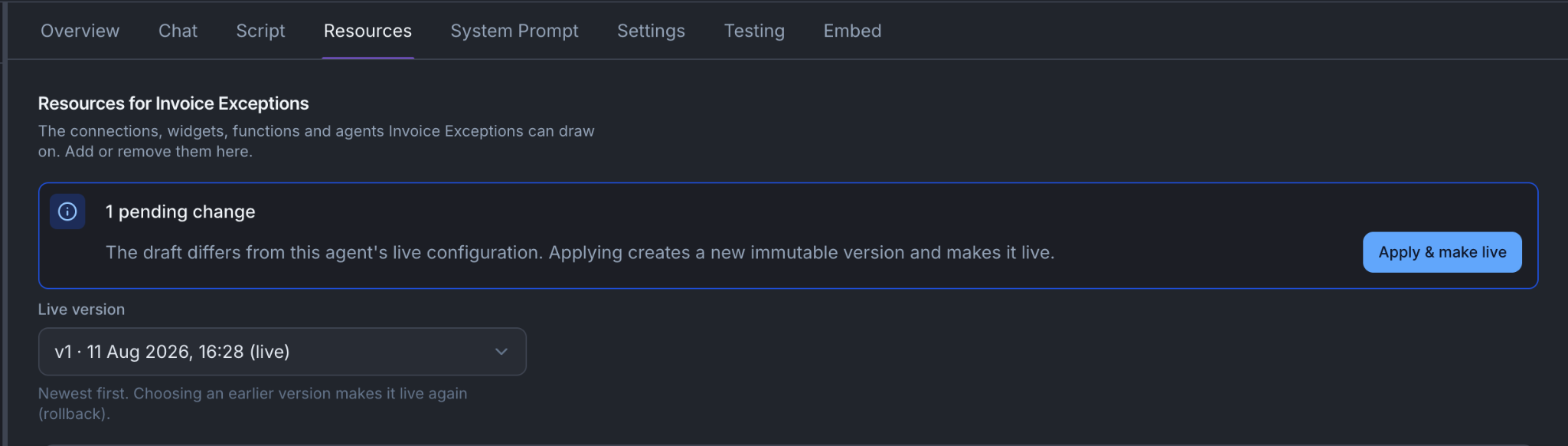
- The change is saved immediately, but onto the agent's draft. Nobody is affected yet.
- At the top you will see "1 pending change" and a button reading Apply & make live.
- Press it. Two things happen: the draft is turned into a fixed, numbered version, and the agent is pointed at that version.
They are two steps rather than one on purpose. If the second fails, your new version still exists and you can point at it, rather than having to build it again.
Publishing a function or a script
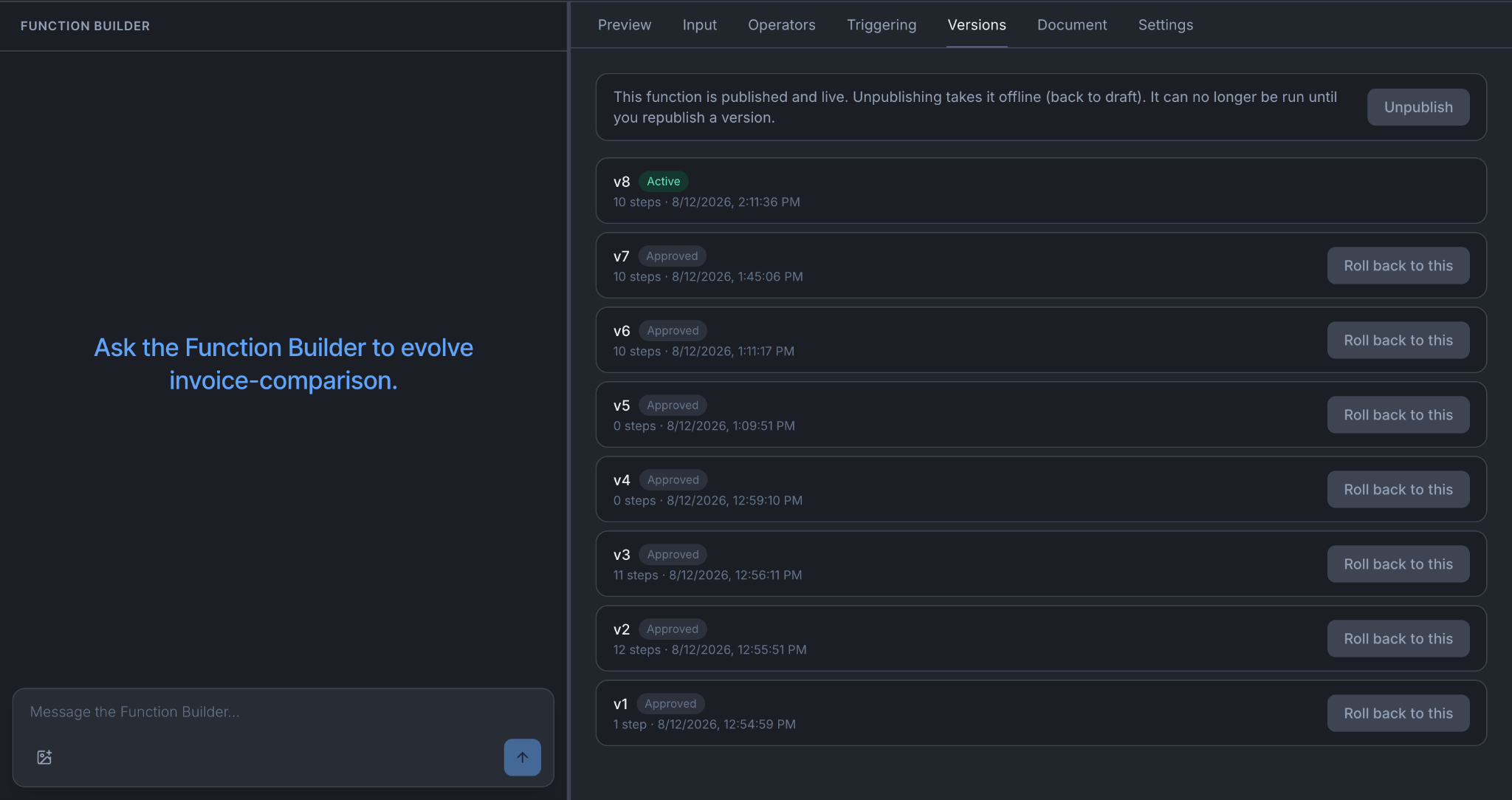
Your work sits as a draft until you press Save changes, which creates a version. That version is not live yet.
On the Versions tab you then publish it. Publishing runs a check first:
| What gets checked | |
|---|---|
| Function | That it will actually run: every step is valid and every reference points at something real |
| Script | That the stages are wired properly: every route points forward to a stage that exists, and the last one ends |
| Widget | That it will actually render |
To undo, go back to Versions and re-activate an earlier one. Nothing is deleted. You cannot activate a version that never passed its check.
Things to be aware of
Adding an operation to an agent does not change the pending count. The counter looks at connections, functions, widgets and other agents. If your only change was adding an operation, press Apply & make live anyway.
A conversation already in progress keeps what it started with. When someone starts talking to an agent, what that conversation is allowed to reach is fixed at that moment. If you publish and activate a new version while they are mid-conversation, they carry on with the old one and pick up the change next time they start.
This is deliberate, because permissions shifting underneath someone mid-conversation would be worse than being briefly out of date. But it means "I removed that operation" and "nobody can use that operation" are a few minutes apart, not instant. If you need it gone now, revoke the operation on the connection instead. That is checked every time it runs.
Versions cover your assignments and your content, not the agent itself. Functions, scripts, widgets, the list of resources an agent can reach, and the agent's prompt text all have version history you can roll back through. The agent's own record does not: it has a status of draft, published or archived, which is about whether people can use it, not a history you can rewind.
Connections have no version history. A connection is either enabled or not, and its operations are either exposed or not. Changing one takes effect immediately for everything using it.
You're done when
- For any change you are about to make, you know which of the three kinds it is.
- You have published and activated one resource change and watched the pending count go to zero.
- You know where to go to undo a change to a function.