Docs / Testing, improving and debugging
Check what happened
For finding out what an agent actually did. This article is where you look: for changing it, go to Diagnose and improve an agent.
What this is
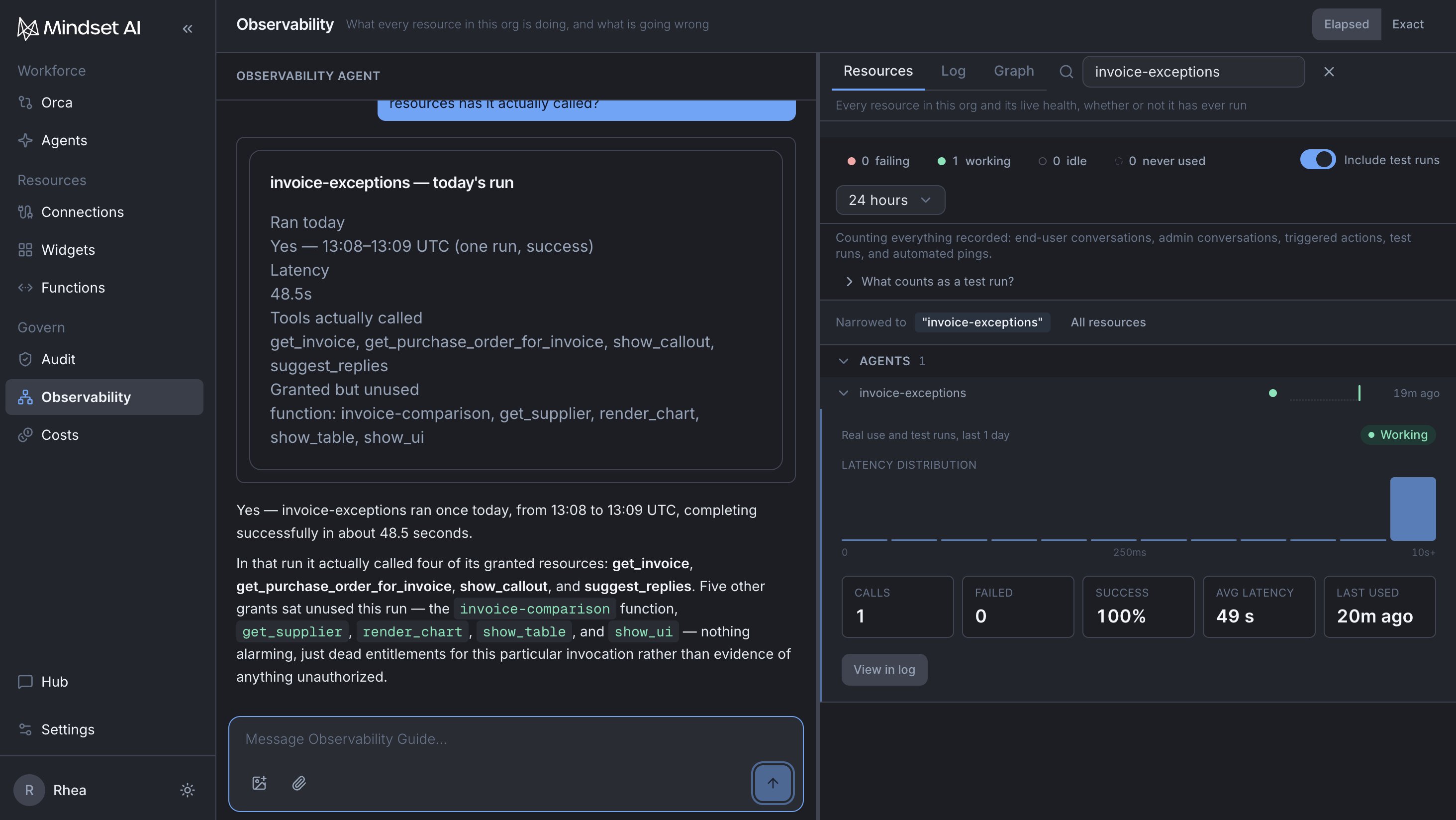
The Observability workspace. Every run is recorded, whatever started it: the trigger, the stages it worked through, the operations it called, what came back, and how it ended.
There is also an agent here. The Observability Guide sits docked on the left of the workspace, the way the Agent Builder sits on an agent. It drives and reads the workspace for you: the resource list, the event log, the graph. It is read-only and can change nothing at all, so there is no risk in asking it anything.
Ask it rather than hunting. "Did the invoice agent run this morning?" and "which of its resources has it not touched this month?" are both faster asked than found, and the guide is looking at the same records you are.
The three tabs
| Tab | What it shows |
|---|---|
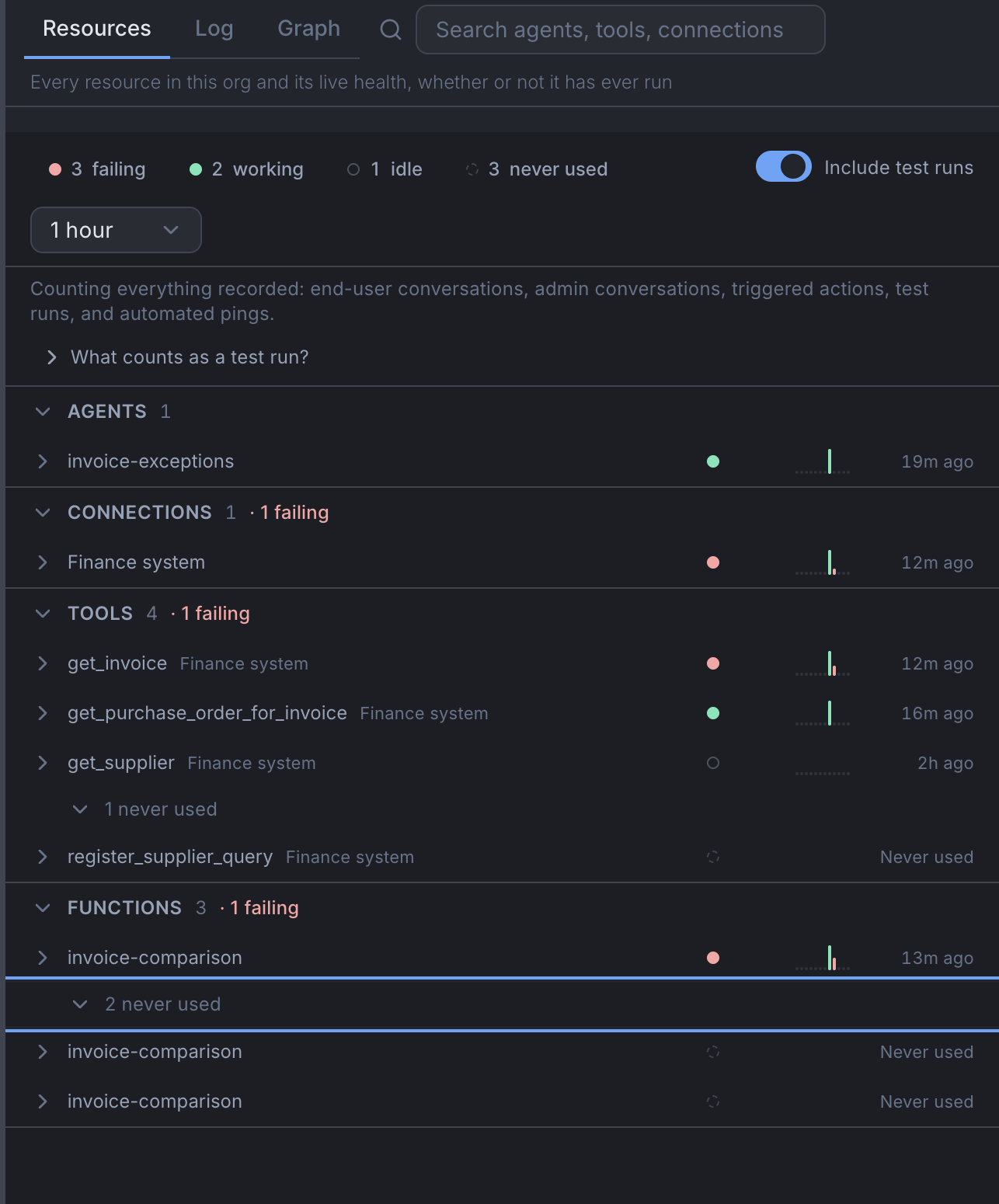
| Resources | Every agent, connection, function and knowledge base, with how each one is doing. The default |
| Log | The raw event feed, in order. Admins only |
| Graph | How things connect, and what has been flowing between them |
Resources is where you start. It ranks and filters in the database across everything you have, not just the rows that happened to load on screen, so the top of a sorted list is genuinely the top and not the worst of the first fifty.
Expand any row for its numbers: calls, failures, successes, average time taken, last used.
Every resource has a two-part status
The status answers two questions separately, and keeps them apart on purpose:
- Has anything happened recently?
- Did the last one succeed?
Collapsing those into one indicator tells lies. An invoice agent that has not run for a week is not failing. An invoice agent that ran ten minutes ago and errored is not idle. They are different problems with different fixes.
That gives four states, and two of them are absences:
| State | Recently? | Last one? |
|---|---|---|
| Working | Yes | Succeeded |
| Failing | Yes | Failed |
| Idle | No | Whatever it was last time. Drawn hollow |
| Never used | Never | There has not been one. Drawn hollow and dashed, and it says so in words |
Never used says it in words rather than drawing a flat line, because a flat line could mean zero or could mean nothing was recorded. Quiet looks quiet here. Nothing on this screen moves unless something actually happened.
Declared versus observed
The most useful thing on the page, and the one nobody thinks to ask for. It compares what an agent was granted against what it actually called.
Granted and never called is a dead grant. The invoice agent was given the finance system read operations, the invoice-comparison function, the supplier contracts knowledge base and one write operation. If the knowledge base shows as granted and never called, stage three is not doing what you think it is doing. The agent is deciding whether the contract allows the difference without ever opening a contract, and it will still produce a confident-sounding answer while doing it. Nothing failed. Nothing errored. You would never see this by reading run outcomes.
Called and never granted is an anomaly, and it is worth looking at the same day. The usual explanation is that the run delegated to another agent which came with resources of its own, and the run detail will show you that. If it does not explain it, ask the guide.
A run, in detail
Log: Replays the recorded trace in order, one event after another.
A run's detail includes every run it delegated to another agent. If the month-end close agent handed forty exceptions to the invoice agent, all forty are reachable from the close agent's run rather than being something you go and find separately.
The questions people actually arrive with
| The question | The answer, and where to look |
|---|---|
| "Did it run?" | Resources, or just ask the guide. If there is no run at all, nothing started it. Look at the trigger, not the agent |
| "Did it run as often as it should have?" | Resources, or ask the guide for the run count over a window. A schedule that should have fired fourteen times and fired nine is the clearest signal you will get, and checking only whether the last one passed misses it entirely |
| "How far did it get?" | Open the run. The stages that completed, the ones it never reached, and everything it delegated |
| "Did it reach the right system?" | Open the run and look for an identifier you recognise in what came back. A purchase order number you can check by eye |
| "What is it waiting for?" | Anything the agent wanted to change is held for a person. A run that looks finished but changed nothing is nearly always this |
| "Is it using what I gave it?" | Declared versus observed. Dead grants tell you a stage is being skipped in practice |
| "Which version was this?" | On the run. Worth checking first whenever two runs of the same agent behaved differently |
The routine check
Nothing chases you. Reading this is a habit somebody has to hold.
| How much the work matters | How often to look |
|---|---|
| A customer notices within hours | Daily |
| Internal work with a deadline that week | Twice a week |
| Reporting, nothing urgent | Weekly |
| Anything that changes a system of record | Daily, however quiet it looks |
The last row is the one worth holding to. The invoice agent registers supplier queries against your finance system, and a quiet week from an agent like that is not evidence that nothing is wrong. It is just an absence of news.
Name a person and a backup. The failure here is never that nobody can do it. It is that everybody could, so nobody does.
Things to be aware of
- The workspace is scoped to one environment. If a resource says never used and you are certain it has run, check which environment you are in before anything else.
- The Log tab is admin only. If you cannot see it, that is why.
- There is no CSV download of runs. If you want the data in your own tooling, per-org OTLP span export exists, which sends the traces to a system you already run.
- Everything here is a record of what happened. Nothing on these screens changes an agent.
When it does not work
- A resource says never used and you know it has run. Wrong environment, almost every time.
- A run is not there at all. Nothing started it. Go and look at the trigger rather than the agent.
- The run looks fine and the work did not happen. Check declared versus observed, then check for a held change. Those two account for most of it.
You're done when
- You can open any run and say what started it, which version it was, how far it got and what it reached.
- You have looked at declared versus observed for one agent and can name its dead grants, or say it has none.
- A named person checks the resource list on a stated rhythm, with a named backup.