Docs / Running and approving
Making it run, and approving what it does
For getting your agent working without you sitting in front of it, and for surviving its first real write.
What this is
The agent is the thing that gets started. Something triggers it, it works through its script stage by stage, and along the way it calls the functions and operations each stage allows.
There are six ways a run begins. All six start the same agent, with the same script and the same resources. What changes is who or what set it off, and that is recorded on the run.
| What starts it | What that means | The invoice agent |
|---|---|---|
| A person | Somebody opens the agent in the Hub, the colleague-facing place where shared agents appear, or you open it on its own Chat tab | A finance assistant pastes invoice 88214 into the Hub and asks the agent to work it |
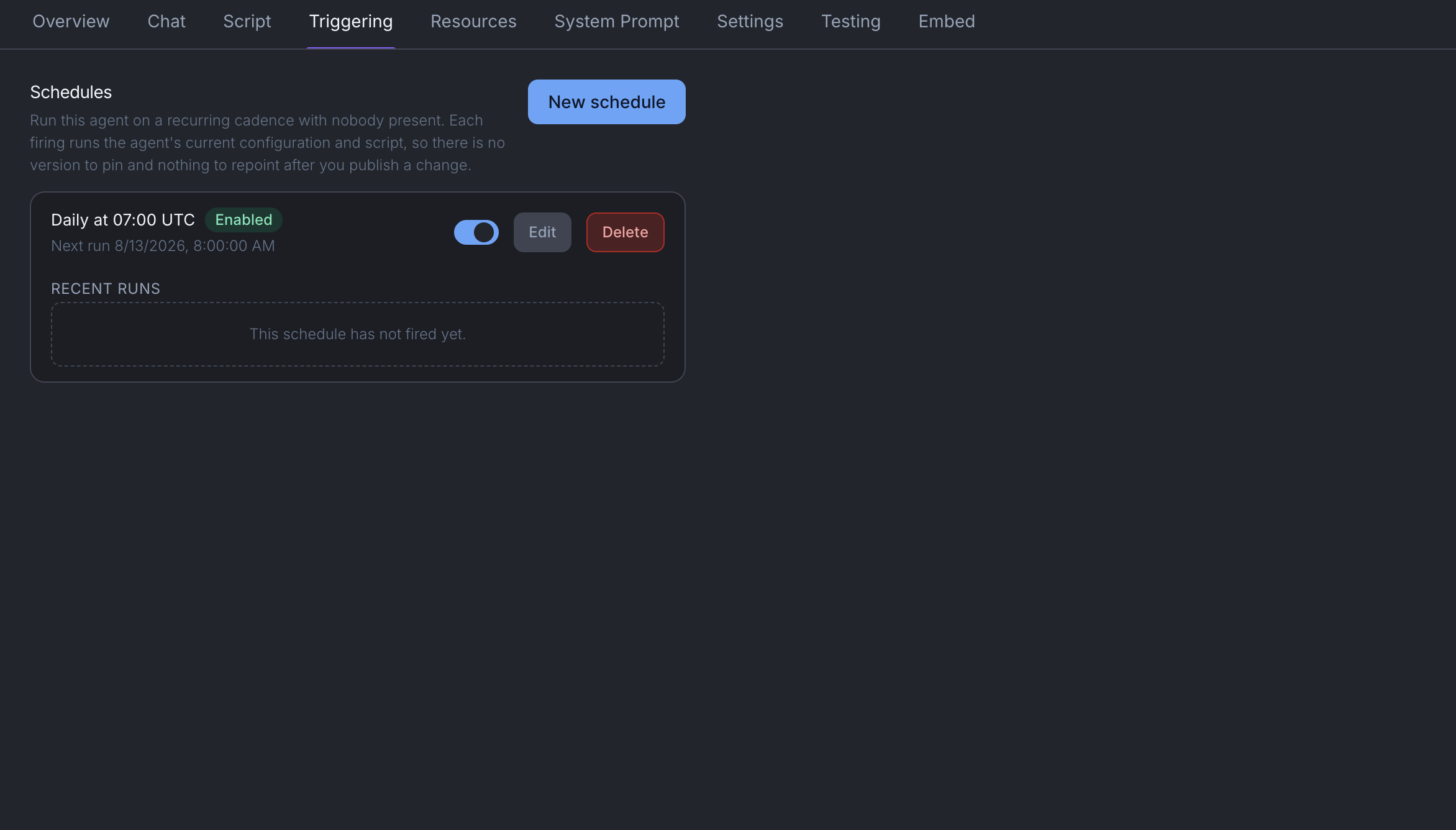
| A schedule | A time you set on the agent | Every weekday at 07:00 the agent takes the next unworked exception off the finance system's list |
| Your own software | Something you already run calls Mindset using an org API key | Your finance system calls Mindset the moment an invoice fails its PO match, so the exception is being worked before anybody has seen it |
| Another agent | An agent that has been given this one as a resource | A month-end close agent hands each exception to the invoice agent and collects the answers |
| A call from Claude | Somebody's Claude or Claude Code reaches the agent over MCP | An analyst asks Claude to check invoice 88214, and Claude runs the agent to do it |
| An embedded session | A session minted for one of your users inside your own product | Your finance portal embeds the agent so a buyer can raise the query from the screen they are already on |
Triggering sits on the agent, on its own Triggering tab. Functions are not triggered and not scheduled. If the work has no judgement in it, you still trigger an agent and let its script call the function.
Making the agent use a particular function or operation
The question everybody asks at this point: how do I make sure it always calls the invoice-comparison function?
Not by telling it to. Wording in the system prompt is a request, and a model that thinks it already knows the answer will skip a request. The answer is the script, and it is two things together:
- Put it in that stage's allowed list. Give the stage the function and nothing else that could plausibly do the same job.
- Make the stage's condition depend on what the function produces. Not "the agent has compared the documents", which the agent can claim. Something only the function can produce.
For the invoice agent, stage two lists the invoice-comparison function, and its condition is that a comparison result exists which either names at least one difference or confirms there are none. Nothing else in that stage produces a comparison result. The agent cannot get out of stage two without calling the function, and it is Mindset that decides whether the stage is done, not the agent.
The same mechanism works in reverse. To stop the agent doing something too early, leave the operation out of that stage's list. Stage one of the invoice agent has the finance system read operations and nothing else, so it cannot post a supplier query while it is still gathering, however helpful it decides that would be.
Write a script has the full detail on stages and conditions.
When it changes something
This is the part to design around.
Nothing your agent does to another system happens while the run is going. A read happens when the agent calls it: it asks the finance system for the purchase order and gets it back. A write does not. The agent reaches the point where it would make the change and instead records exactly what it would send: the operation, the target system, and the full detail of the request. The run then carries on and finishes normally.
The change waits. A person opens the approval link in their own browser, reads what is about to happen, and approves it. Only then does it go out.
An agent can never approve a write. Not its own, not another agent's. The one thing that changes this is an org policy in Settings → Governance, and where a policy allows the change through, the record names that policy rather than inventing a person who approved it. Revoking an approval is never undone by a policy.
Design for it
Put the change in the last stage. The invoice agent gathers, compares and assesses first, and only registers the supplier query at stage four. Do it the other way round and there is a person-shaped pause sitting in the middle of your run.
Make one change, not fifty. One approval covering a batch is a decision somebody actually reads. Fifty separate approvals get waved through, and then the approval step is decoration. One supplier query covering every disputed line on the invoice, not one per line.
Put enough in it to judge. Whoever approves it should not have to go and look anything up. The supplier query should name the invoice, the purchase order, each line that differs, the total value of the difference, and the contract clause the assessment relied on.
Assume it gets approved later than you would like. Somebody is at lunch, or it lands at 17:55 on a Friday. Do not build anything whose output is stale in ten minutes.
Calling it from your own software
Settings → API keys issues an org key. The raw value is shown once and never again, so put it straight into your secrets manager.
Pass an identifier of your own with each call. Calling twice with the same identifier replays the first result rather than starting a second run, so a caller that is unsure whether its request landed can safely send it again without the invoice being worked twice.
What you should see
A run in the record, with the trigger that started it named on it. If the agent wanted to change something, a waiting approval, and a run that finished rather than hanging. Once somebody approves it, the change goes out and the record shows it done.
Things to be aware of
- The trigger is recorded on the run, so you can tell a scheduled run from one a person started without asking anybody.
- A conversation already in progress keeps the version of the agent it started with. New versions reach people on their next conversation.
- Set a schedule to how often the underlying data changes, not how often you would like to look at it. Most schedules run several times more often than the thing they are watching updates.
- To cut off an agent's access to something immediately, revoke the operation on the connection. That takes effect at once, unlike anything version-backed.
When it does not work
The run finished and nothing changed. Almost always a waiting approval. This is the most common "it is broken" that is not broken. Open the run and look for the held change.
It ran but never called the function. Either the stage did not have the function in its allowed list, or the stage's condition did not require anything the function produces. Adding a firmer instruction to the system prompt will not fix it.
A person triggered it and got a different answer from the schedule. Check which version each is running. A conversation that was already open kept the older one.
You're done when
- A run appears in the record with the trigger that started it.
- You can point at the stage that forces the function to be called, and at the condition that makes it unavoidable.
- A change your agent made went to a person, and the run finished rather than hanging.
- Somebody has approved one and watched it go through.