Docs / Start here
Set up your workspace
For the first person from your company to log in. About ten minutes of work, and one decision worth making deliberately.
What this is
Your company is an org. It holds your members, your agents, your functions, your connections, your runs and everything else you build. It is the only boundary in the platform: nothing sits below it, and one org can never see into another.
Inside your org you have environments. An environment is a named partition, like Demo, Test or Production. Everything you build belongs to the environment you built it in, and cannot see anything in another one. Your org starts with a single environment called original, which is where the invoice exceptions agent will live unless you make somewhere else for it.
What it does
| Signing in | A Google account or an email address. Microsoft single sign-on is not available yet |
| Who can build | Any member. There is no separate builder role to hand out |
| What you cannot do to an environment | Rename it, archive it or delete it. Create, list and switch is the whole of it, so name it correctly the first time |
| Region | Chosen when your org is created and fixed after that. Each region is a separate database, so where your data sits follows from where your org was created rather than from a setting somebody can change |
Why you would want a second environment. Everything is scoped to the environment it was made in, which includes connections. An invoice agent you are still working on in Test is pointed at a finance system connection that also lives in Test, so it cannot read production invoices or register a supplier query against a real account, even if its script tells it to. Most teams end up with two: somewhere to build and somewhere live. You do not need a second one to start, and you can add one at any point.
How to do it
- Create the org. Name it for your company. Check the region you are given, because it is fixed from here.
- Settings → Members. Invite the people who will build. Google or email.
- Settings → Members, same page. Work through the four switches: domain auto-grouping, self-signup, auto-enable write actions, directory listing. The third is the one to think about, and there is a section on it below.
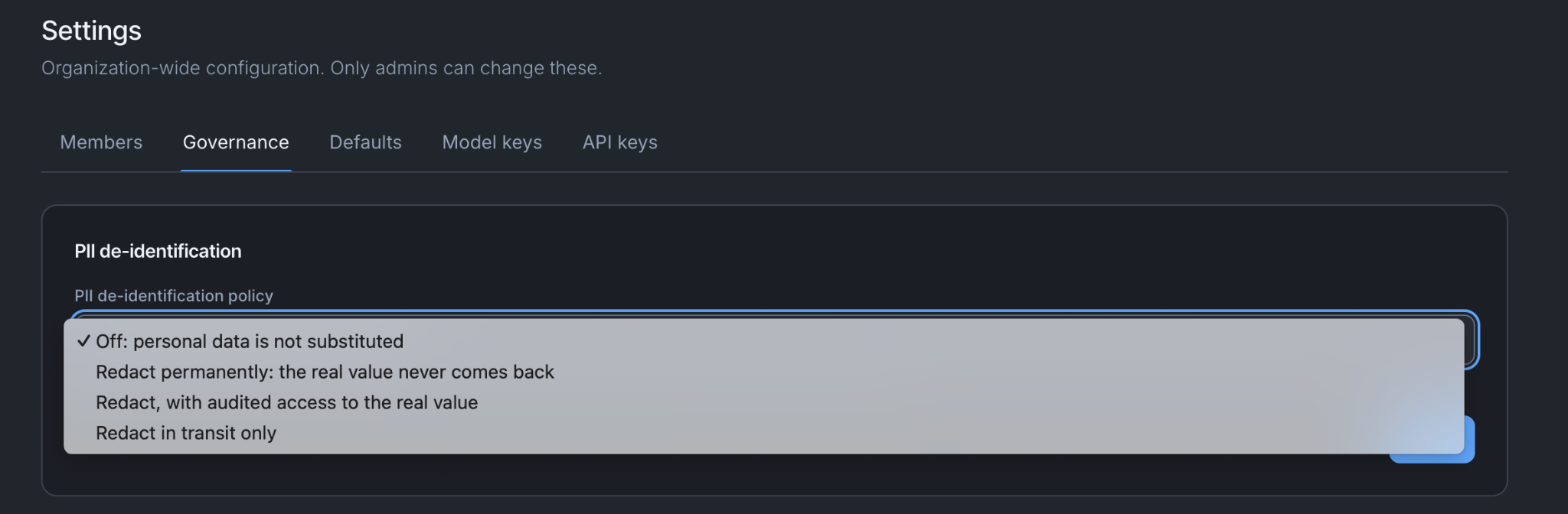
- Settings → Governance. Set your PII policy, how long audit records are kept, whether OpenTelemetry export is on, and whether members can build personal agents.
- Settings → Defaults. Set the reply language your agents inherit.
- Create a second environment if you want somewhere to build that is not live. Use the environment switcher, top of the screen. Any member can.
Settings, tab by tab
| Tab | What is there |
|---|---|
| Members | Invite, remove, set type, disable and re-enable people. Plus four switches: domain auto-grouping, self-signup, auto-enable write actions, directory listing |
| Governance | PII policy, how long audit records are kept, your region (shown, not editable), OpenTelemetry export, and whether members may build personal agents |
| Defaults | The reply language every agent inherits unless that agent overrides it |
| API keys | Org-owned keys, used when your own software calls an agent. The key itself is shown once when you create it and never again, so put it somewhere before you close the dialog |
Everything on these four tabs saves the moment you change it. See What saving actually does for the places where that is not true.
The one decision worth making deliberately
Auto-enable write actions, on the Members tab.
Anything an agent does that changes another system waits for a person. When the invoice agent reaches stage four and registers a supplier query, the query does not go out. The run finishes, the agent records exactly what it would send, and a person opens a link, reads it, and approves it.
That switch is what decides whether the person is required.
| What happens when the invoice agent registers a supplier query | |
|---|---|
| Off | The query waits. Somebody in finance opens the approval link, reads what is about to go to the supplier, and approves it. Nothing reaches the supplier until they do |
| On | Your org's policy stands in for that person and the query goes through. The record says so: it names the policy rather than inventing somebody who approved it |
Off is right until you know what your agents do. Turn it on once you have watched a few dozen runs and you know what the write actually looks like every time. Turning it on does not retrospectively approve anything already waiting, and it never un-revokes something a person has revoked.
Things to be aware of
- Membership of the org is access to its environments. Inviting somebody gives them every environment in the org, including the live one. There is no way to invite somebody into Test only.
- An environment cannot be renamed or deleted. If you create one called
test2you will havetest2forever. It is not harmful, it is just untidy in every picker from then on. - Personal agents are off by default. A member can build their own agent from the Hub, owned by them, never published to anyone else, and it cannot hold connections or functions. Turn it on in Governance if you want people experimenting.
- The org API key is org-wide, not personal. One person should own each key you issue and know what is using it. Anyone with the key can trigger any agent that has been published.
- Nothing you do here is versioned. Settings changes take effect immediately, for everyone.
When it does not work
A colleague signs in and sees nothing. They are almost certainly in a different environment. Check the switcher at the top of the screen before you check anything else.
Somebody cannot accept the invite. The invite goes to one address. A Microsoft work account is not a sign-in route yet, so the person needs a Google account or the email and password route on the same address you invited.
A write went through without anyone approving it. Auto-enable write actions is on. Turn it off in Settings → Members, then open the run in Observability: the record will name the policy that stood in for the approver.
You're done when
- Your org exists and everyone who needs to build can sign in.
- You can say which environment you are in and what is in it.
- Somebody has decided whether write actions auto-enable, rather than inheriting the default without reading it.
- One named person owns each org API key you have issued.